Interactive Boards for Classrooms: A Complete Guide
 Written byAnnapurna SContent Specialist
Last modified: 2 Sep 2026 8 min read
Have you thought about making the classroom more interesting using technology that enables teachers and students to touch, write, and learn through interactive content?
If yes, then interactive classroom boards can make your learning process insightful and interactive.
Interactive boards enable teachers to implement interactive lessons through visual aids, touch screen capabilities, and multimedia elements. This tool helps teachers to create a collaborative environment and promote active learning for better understanding of the concepts for traditional and virtual learning environments.
With the rapid technological advancements in online schooling such as 21K Schools use digital tools to facilitate today's teaching practices. So go through our blog and explore everything you need to know before selecting the right interactive board for your classroom.
What are interactive boards for classrooms?
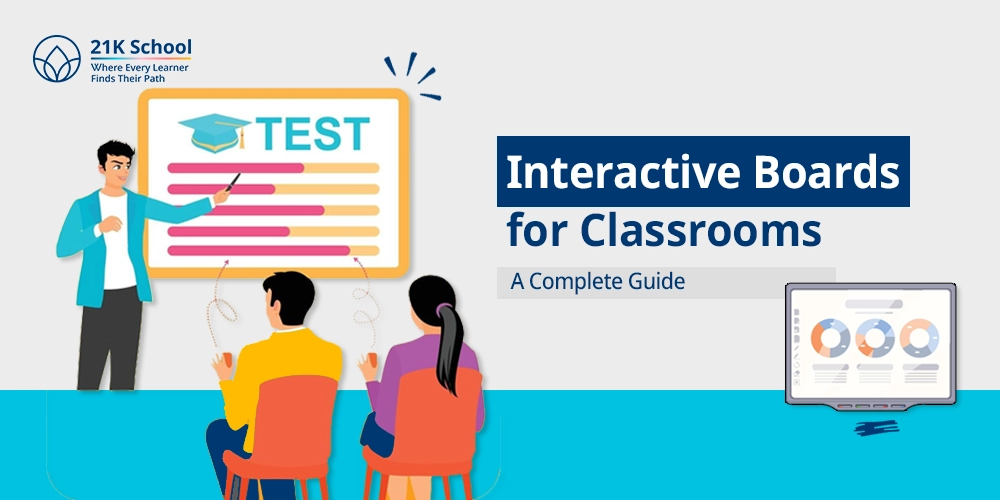
Interactive boards for classrooms are large digital display panels that are connected to a computer with teaching software via the internet and multimedia tools. This smart board allows teachers to draw, write, open presentations, and play a video to explain concepts directly on the screen.
The interactive whiteboard responds to touch to make the process of learning interactive and dynamic. These boards are equipped with additional support features such as screen sharing, split-screen viewing, cloud storage, and real-time commentary.
Teachers can highlight important points within the chapter notes and instantly share them with students after the class. Gadgets are linked to laptops, tablets, document cameras, and learning applications.
Popular interactive board brands for Indian Schools
Choosing the top interactive board brands in Indian schools depends upon the screen quality, touch performance, and software compatibility. Some of the brands that dominate in Indian schools include BenQ, Samsung, LG, SMART Technologies, and Promethean. These local brands require training for retention value.
Many brands offer interactive boards for schools and learning centers. Below are some widely known options
| Sr.No. | Brand | Known for | Common use in Education | Features available |
|---|---|---|---|---|
| 1. | BenQ | Education display solution | Smart classrooms and training room | Eye-care technology, wireless sharing, and annotation tools |
| 2. | Samsung | Commercial display and touch channels | Digital classrooms and seminar halls | 4K display, multi-device connectivity, and touchscreen interface |
| 3. | LG | Display technology | Classroom and lecture rooms | IPS panels, multi-touch support, and screen sharing |
| 4. | SMART Technologies | Interactive learning software and SMART board displays | K-12 schools, colleges, universities, and corporate training centers | Whiteboarding tools, lesson activities, and collaboration features |
| 5. | Promethean | Education-focused interactive display | Schools and training centers | Annotation tools, cloud integration, and classroom software |
| 6. | Globus Infocom | Indian AV and education technology company | Indian AV and education technology company | Interactive panels, AV integration, centralized control, and local service support |
Benefits of interactive boards in classrooms
The interactive boards for the classroom offer various benefits to improve the quality of teaching and learning outcomes. With tools like these, the process of learning becomes more interactive, engaging, and easy to understand.
Let's look at the benefits of interactive boards in classrooms:
1. Better student engagement
To gauge the attention of the students throughout the class, interactive tools provide touch-screen technology, quizzes, videos, and real-life activities. This makes the learning process active and engaging.
2. Improved visual learning
Graphs, animations, graphics, and visual presentations are some of the excellent methods to simplify complex concepts. This is particularly important for mathematics, sciences, geography, and languages.
3. Easy collaboration
More than one student can work on the board at the same time. It creates an interactive environment for peers to engage and collaborate in active participation.
4. Faster lesson delivery
By accessing saved notes, digital textbooks, and online materials instantly, teachers can deliver lessons quickly and make effective use of classroom time.
5. Note saving and sharing
Class lessons can be saved after class and shared with students for their review. This benefits students who miss class and helps in exam preparation.
6. Supports hybrid and smart classrooms
The interactive whiteboard integrates seamlessly with laptops, tablets, webcams, and virtual meeting software. It is an effective tool for blended learning and virtual instruction.
7. Better classroom management
Well-structured digital lessons reduce distractions and keep students focused. Teachers can switch between resources smoothly without interrupting the flow of teaching.
How interactive boards support NEP 2020 & CBSE learning goals
Interactive boards can support the digital learning goals encouraged by National Education Policy (NEP) 2020 and Central Board of Secondary Education (CBSE) through engaging lessons, collaborative learning, and effective use of technology. These policies promote modern teaching practices, but they do not require smart boards in every classroom.
Key ways interactive boards support NEP 2020 and CBSE goals:
1. Supports experiential learning
The National Education Policy of 2020 encourages experiential and hands-on learning. Interactive boards facilitate teachers in demonstrating concepts via videos, visuals, simulations, and live examples.
2. Encourages student participation
Touch–sensitive screens facilitate quiz games, class participation, dragging-and-dropping tasks, and group projects. This may enhance classroom interaction and learning engagement.
3. Helps different learning styles
Text, graphics, handwriting, sound, and presentation tools can all be used in the same lesson by instructors. This benefits visual and auditory learners.
4. Supports competency-based assessment
The CBSE has shifted its focus towards competency-based assessments and experiential learning. Interactive boards can help conduct practice exercises, instant assessments, and recapitulation lessons.
5. Improves teacher efficiency
Teachers will be able to save their lesson plans, reuse their digital notes, and access online sources rapidly, thereby enhancing the effectiveness of lessons.
How 21K School uses interactive technology?
Interactive technology is an important part of learning at 21K School. As a fully online school, it uses live classes, digital platforms, and smart learning tools to create engaging learning experiences.
1. Live online classes
Students attend live classes where teachers use screen sharing, presentations, annotation tools, and virtual whiteboards to explain concepts in real time. These sessions encourage participation, discussion, and instant doubt resolution.
2. Digital learning resources
Students can access study materials, assignments, and recorded lessons online. This helps them revise topics and learn at their own pace.
3. Interactive assessments and activities
Digital quizzes, assignments, and project-based tasks make learning more engaging while helping teachers track student progress regularly.
Conclusion
Interactive boards have become an essential part of modern classrooms by making lessons more engaging, interactive, and easier to understand. They help teachers explain complex topics through visuals, real-time activities, and collaborative learning methods.
Modern education needs tools that are flexible, practical, and suitable for different learning styles. Interactive boards support personalised learning, improve classroom participation, and make it easier to access and save digital lesson materials.
By understanding these advantages, schools, teachers, and parents can make better decisions for students. When used effectively, interactive boards can create a more organised, meaningful, and future-ready learning environment
Frequently asked questions
8 questions
What is the difference between a Smart Board and an interactive whiteboard?
A Smart Board is a brand name developed by SMART Technologies, while an interactive whiteboard is the general term for touch-enabled boards used in classrooms. All Smart Boards are interactive whiteboards, but not every interactive whiteboard is a Smart Board.
What are interactive boards for classroom use?
Interactive boards are large touch-enabled displays that allow teachers and students to interact with digital content during lessons. They are commonly used for presentations, writing, videos, quizzes, and collaborative activities.
How do interactive boards help students learn better?
Interactive boards make lessons more visual, engaging, and participative. They support different learning styles and help students understand concepts through videos, diagrams, real-time activities, and hands-on interaction.
Which size interactive board is best for a classroom?
The ideal size depends on classroom dimensions, seating arrangement, and viewing distance. For many classrooms with around 30 to 35 students, a 75-inch display is often a practical option.
Are interactive boards suitable for small schools?
Yes, interactive boards can be suitable for small schools, especially models designed for compact classrooms and limited budgets. They can improve teaching quality while making better use of digital learning resources.
How much does an interactive board cost in India?
Interactive board prices in India vary based on size, brand, software features, and installation support. Many professional models start from around ₹1 lakh, while advanced large-format panels may cost significantly more.
What is the life span of an interactive board?
Most interactive boards can last several years when maintained properly. The lifespan depends on build quality, usage, software updates, and regular servicing.
Do interactive boards need the internet?
Interactive boards do not always require the internet for basic functions such as writing, presenting, or using offline files. However, internet access is useful for cloud tools, online lessons, updates, and web-based learning resources
About the author
Annapurna S
Content Specialist
Annapurna is an Education Content Specialist at 21K School, India’s first accredited fully online K-12 School with more than 20,000 learners across 78+ countries. She holds a Bachelor’s degree in Electronics and Communication Engineering that helps her structure information logically and structure technical concepts for an understandable educational content. With more than 3 years of experience at 21K School, a fully accredited institute- Cambridge International (IA702) and Pearson Edexcel (94883), Annapurna specialises in creation of the learner-centric resources for school-age students. Annapurna’s every article is based on the official resources and focuses on Cambridge/Edexcel, and CBSE curriculum frameworks. Annapurna’s content helps guardians, and learners to navigate through the modern online education system.
Every 21K School guide is written by our education team and reviewed by a subject facilitator before publishing.
Exploring a CBSE-pathway online school?
Talk to an advisor about 2026–27 admissions — no obligation.
Talk to an advisorComments
No comments yet — be the first to share your thoughts or ask a question.