

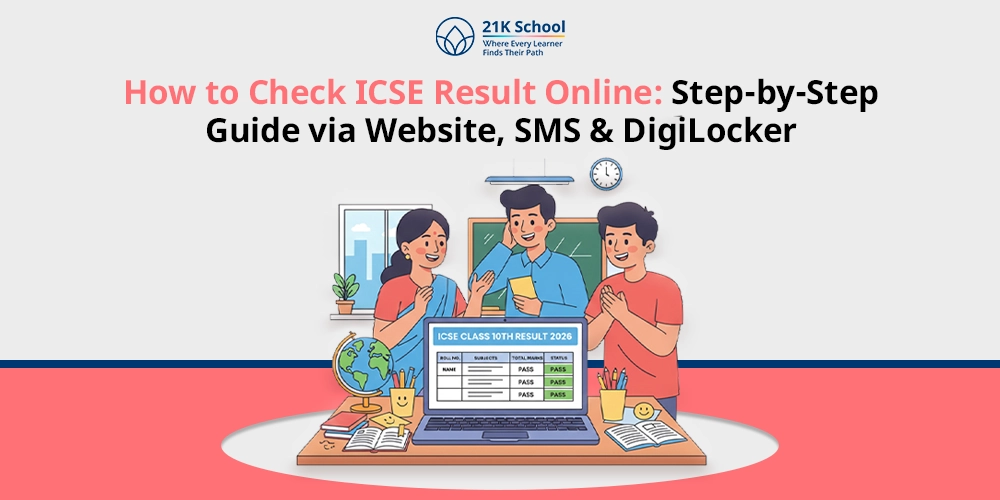
Want to check your ICSE results but don’t know how?
ICSE result analysis is among the elements of the process that the students are willing to undergo after months of study and practice. The outcomes are published on the web to the Council of Indian School Certificate Examinations (CISCE), and hence, the learners have easy access from the comfort of their homes.
Having the knowledge on how to check your result on ICSE makes you not confused and make mistakes.
This guide will give you the easy instructions to find your results both on the official site and by other means, so that the students can keep updated and ready to enter the next education stage.
Contents
How to Check ICSE Result?
Verifying the ICSE result is also a necessary measure that follows the examinations, after which students will be able to retrieve their performance efficiently and safely.
Being aware of the right procedures will give students correct achievements and will help them know how to plan their further studies without being afraid. Students will be able to view their marks on the official website, the DigiLocker application and SMS.
Through Website
Students can check their ICSE results by visiting the official website.
1. Visit the Official Website
Go to your Internet browser and go to the official website at results.cisce.org. Do not get false results by making sure you are on the right site. On the site, your results of ICSE are accessible in the form of official updates and notifications and also in direct access.
2. Click on the Result Link
On the homepage, find the link to ICSE or ISC results. Click on it attentively in order to be redirected to the results page. This connection is normally brought out clearly when announcing the results.
3. Enter Index Number and UID
Type in your personal index and UID as typed on your admission card or registration information. The information aids the system in recognising your record and providing you with the right outcome.
4. Fill the Captcha Code
All that you need to do is fill in the captcha code on the screen so that you are not a robot. In case verification is successful, make sure to enter all letters, numbers and symbols.
5. Now You Can Download
This will be checked, and your ICSE result will show on the screen. Check and make sure that it is fine, and then download or print a copy of it to use it later, probably during admissions or official records.
Through SMS
SMS is a classical method of checking ICSE results, through which the board will give students their results in a structured manner.
1. Open Messaging App
Tap the default messaging or SMS application on your phone. Ensure that you are connected to the network and your balance is enough to send a message to the official CISCE SMS number.
2. Type ICSE<Space><Seven-digit Unique ID> and send to 09248082883
You will use your Unique Index Number and UID as you are using them on your admit card, and then send it in the format of ICSE<Space><Seven-digit Unique ID>. This assists in the authentication of who you are.
3. Send it to 09248082883
After writing the message correctly then send it to the official CISCE result SMS number, which is 09248082883. In a few minutes, your ICSE result will be emailed to you at the same mobile number.
Through Digilocker
Another method to check the ICSE result is through DigiLocker. Students can visit the DigiLocker app or website to download their results.
1. Visit the DigiLocker App
This can be opened on a smartphone on a DigiLocker application or on a web browser. DigiLocker is an online platform in which documents (school certificates, examination results, etc.) are stored in cyberspace and are protected.
2. Log in using Credentials
You can use your registered mobile number or user name and password to log in using Aadhaar aunthetication, after which you must make sure your account is verified as well as active, because only registered users can use official ICSE or ISC results via DigiLocker.
3. Find CISCE Results
After logging in, one gets to the Issued Documents or Education section. Visit the council of the Indian School Certificate Examination (CISCE) site and the results of the Class 10 or Class 12 might be available online.
4. Select Class
In order to meet the target, select an object of study that you wish to study, i.e. ICS (Class 12) or ICSE (Class 10). This will be to verify the right academic record of the year concerned.
5. Enter Index Number and UID
Provide your personal index number and UID, which are present on your admit card. This already defines who you are and will not allow a system to display an alternative official outcome to you.
6. Submit
Once the details have been filled in, you can click on the submit button. The system will take your request and will give you your result after 48 hours, displaying marks, grades and other necessary academic information.
7. Download
Once the result is shown, you can save it as a PDF file or save it in DigiLocker. It could also be printed so that it can be used later as a reference in college admission or official documents.
Details Mentioned in the ICSE Result
ICSE results have valuable data on the academic performance of a student. It gives an efficient map of the success, and students, parents, and schools can see the progress and make plans about further conduct or required changes. The details in the ICSE result are as below.
The ICSE result gives a detailed picture of the academic achievement of a student. It shows general successes and improvements, and it can help students, parents, and schools determine the trend of performance.
The analysis of the outcome could be critically analysed in future academic planning to determine the strengths and areas of further research which might need improvement. For the outcome, the students have to investigate some details.
- Student Name
- Index Number & UID
- Roll Number
- School Name
- Date of Birth
- Marks (Subject-wise Theory and Practical)
- Total Marks & Percentile
- Qualifying Status (Pass/Fail)
ICSE Class 10th and 12th Passing Criteria
The passing criteria, or ICSE marking scheme , of Class 10th and 12th provide the lowest requirements of what the standards were supposed to be in order to pass their exams.
Knowledge of such rules is advantageous in that the learners will not lose the thought of the academic mandate and will be able to move to the next level of acquiring knowledge. The standards of impressiveness at the ICSE Class 10th and Class 12th can be checked in the following.
1. Score 33% Marks in Every Subject
Learners have to achieve a minimum of 35% in each subject and a aggregate of 33% in order to pass the ICSE exams.
This makes sure that the student has mastered a minimum knowledge of every subject, which makes him or her have adequate knowledge to advance to the next level of study. Lacking this standard in any subject can imply re-examination.
2. Attain 33% in both Theory and Practical Subjects
When considering the case of the subjects with both theory and practical components, a student must possess a minimum of 35% in theory and practical subjects and a aggregate of 33%.
This ensures that there is a competency balance between the theoretical and the practical. Neglect in either of the two can lead to the failure of the subject regardless of the high performance of other subjects.
3. Minimum of 75% Attendance
To be permitted to pass, then, at least 75% attendance by the students must be observed during the academic year. To do well in exams and overall academic development, frequent attendance is an assurance of adequate learning , classroom activities, and syllabus acquaintance.
Best of 5 vs Best of 6 in ICSE
In ICSE, the rule is actually the best of five, whereby your overall percentage is computed as the best five of your subject marks (including the compulsory English), and this compels the students to do their best in one subject, as compared to a best of six rule, where all six subjects are counted.
ICSE Class 10 uses the standard of the “Best of 5,” where you add the marks of English and your four best subjects, but only divide the sum by 5.
What to do After ICSE Results
Once one has received ICSE results, one would want to understand what to do next. Regardless of needing to check or re-evaluate something or having the next part of his educational process, the awareness of what to do correctly will allow the student to make a wise decision. This is what you can do upon the declaration of ICSE results.
1. Verify all the Details
Once you get your result of the ICSE, you have to verify every piece of information, like your name, subjects and marks.
Make sure that it is all fine and as per your records. It is better to report any discrepancies at the earliest time before an issue arises in applying the same in future admissions or in the official records.
2. Not Satisfied then go for Re-evaluation
In case you believe that your marks are not commensurate with your performance, you have the option of demanding re-evaluation or re-checking of answer sheets.
The CISCE offers a systematic way of mark review and thus affords the student an opportunity to rectify any potential mark assessment mistakes.
3. Can Appear for Improvement Exams
Students who would like to improve their marks in some subjects are also free to take improvement tests. These tests will enable you to score more marks, and they may help to improve overall performance and admissions competitiveness or future college strategies.
4. Plan Next Academic Steps
After completing your results, make your choices on what to do next in your academic life. Select streams, colleges or courses according to your performance, interest and career objectives. The right planning assists in establishing a pattern of further education or career.
Conclusion
The idea of checking ICSE results is a critical option that enables students to know their study level and how they can continue to study. Be it on the official site, SMS or DigiLocker, one needs to follow the proper procedure to guarantee the right results.
It can be stressed that by reading the information carefully and knowing the state of passing, students can make good choices and think about the re-examination or improvement tests in case of need.
The results can be accepted and planned properly after the choice to leave high school and continue his/her education or career options is made, which would result in success in academic life.

You may also want to read